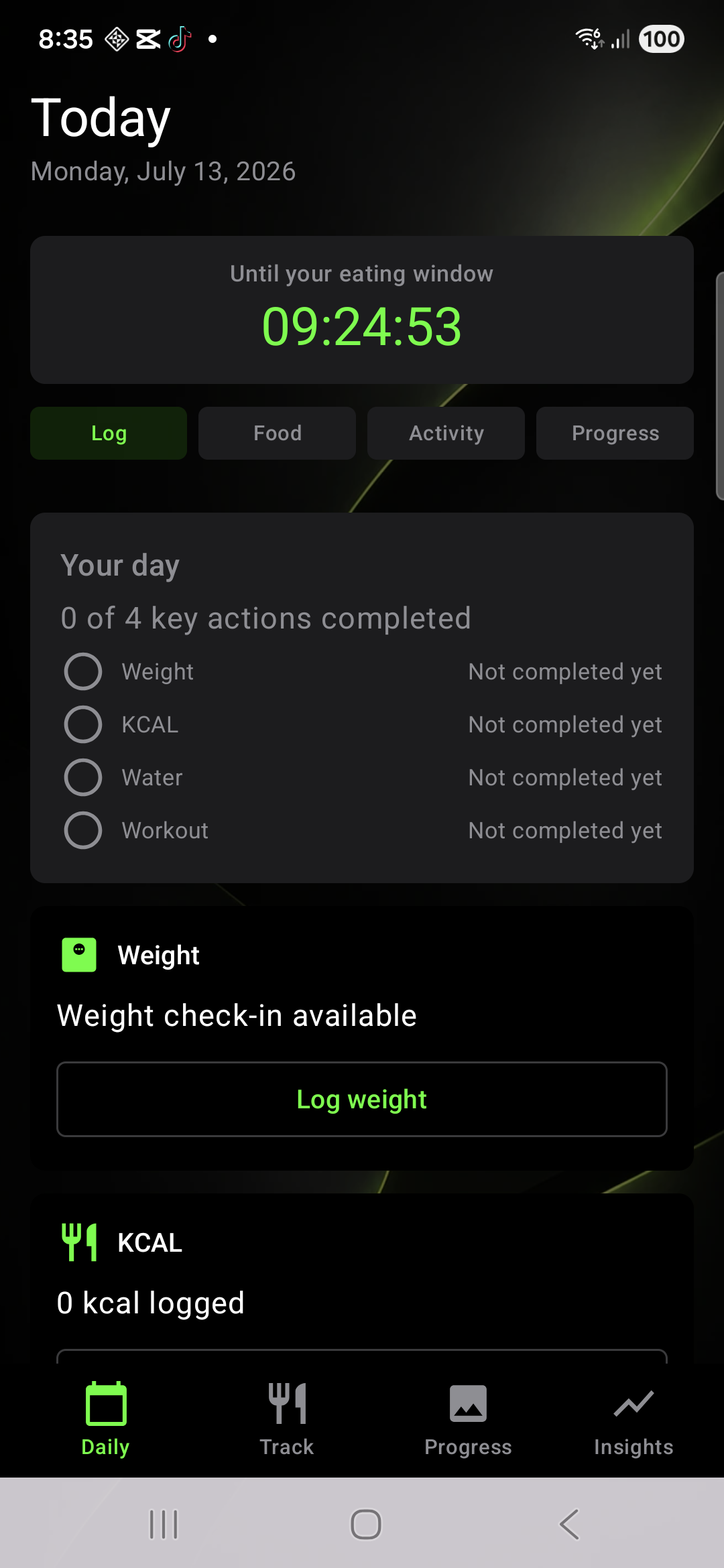
Progress in one place
Home keeps the current routine visible: progress, daily weight entry, and the next useful action without turning the app into dashboard noise.
KNWIT
Built around your routine.
Knwit Weight
Knwit Weight brings fasting, weight tracking, calories, recipes, workouts, journal, guidance, and maintenance together in one calm Android app.
Start with the core weight-loss routine. Add Knwit Events when your goal has a real date.
Knwit Weight
Knwit Weight is not just an event countdown. The core app helps users run a calmer daily routine around weight progress, food, movement, guidance, notes, and maintenance.
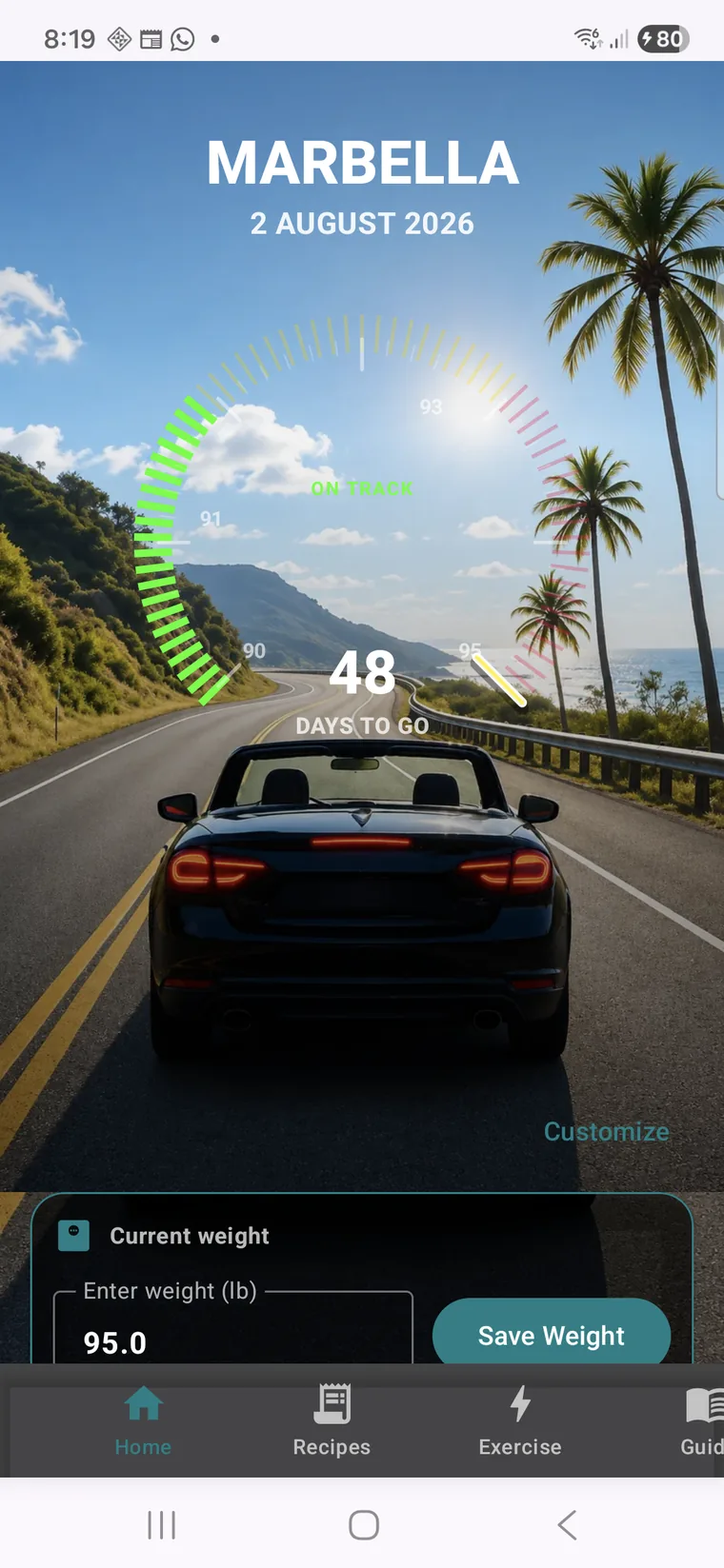
Home keeps the current routine visible: progress, daily weight entry, and the next useful action without turning the app into dashboard noise.
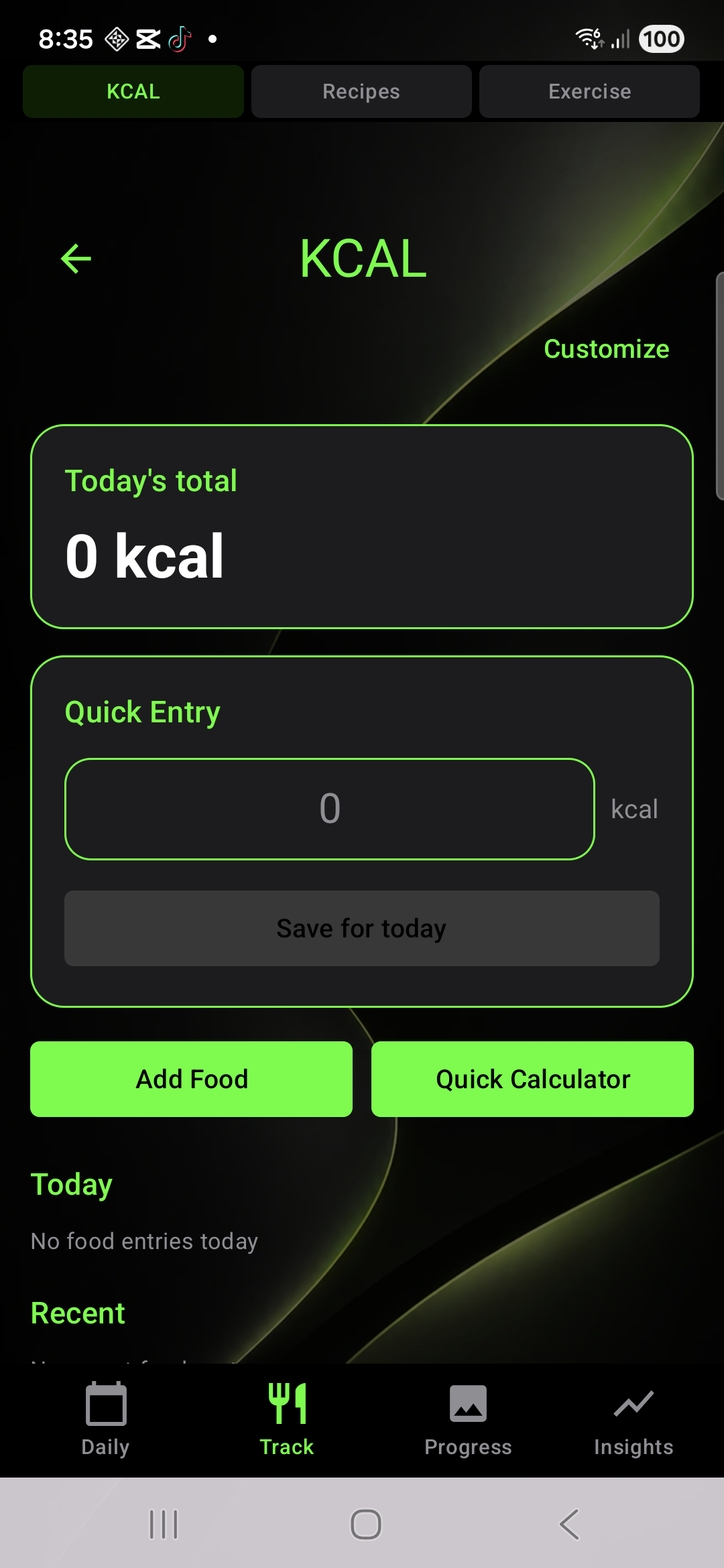
Users can log food when it helps, use quick entries, and keep calories connected to the same weight-loss routine.
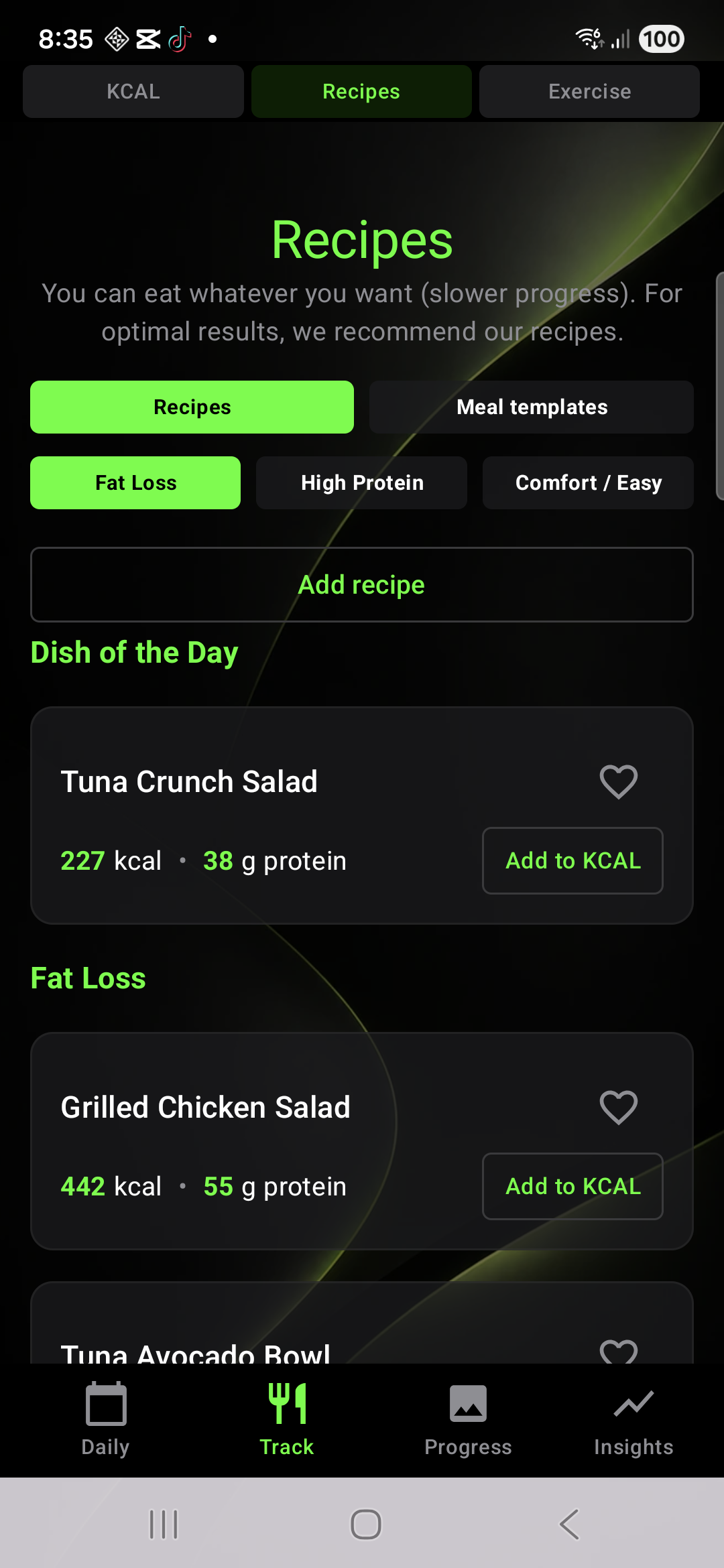
Recipes give practical meal ideas for fat loss, protein, comfort, and simple daily structure.
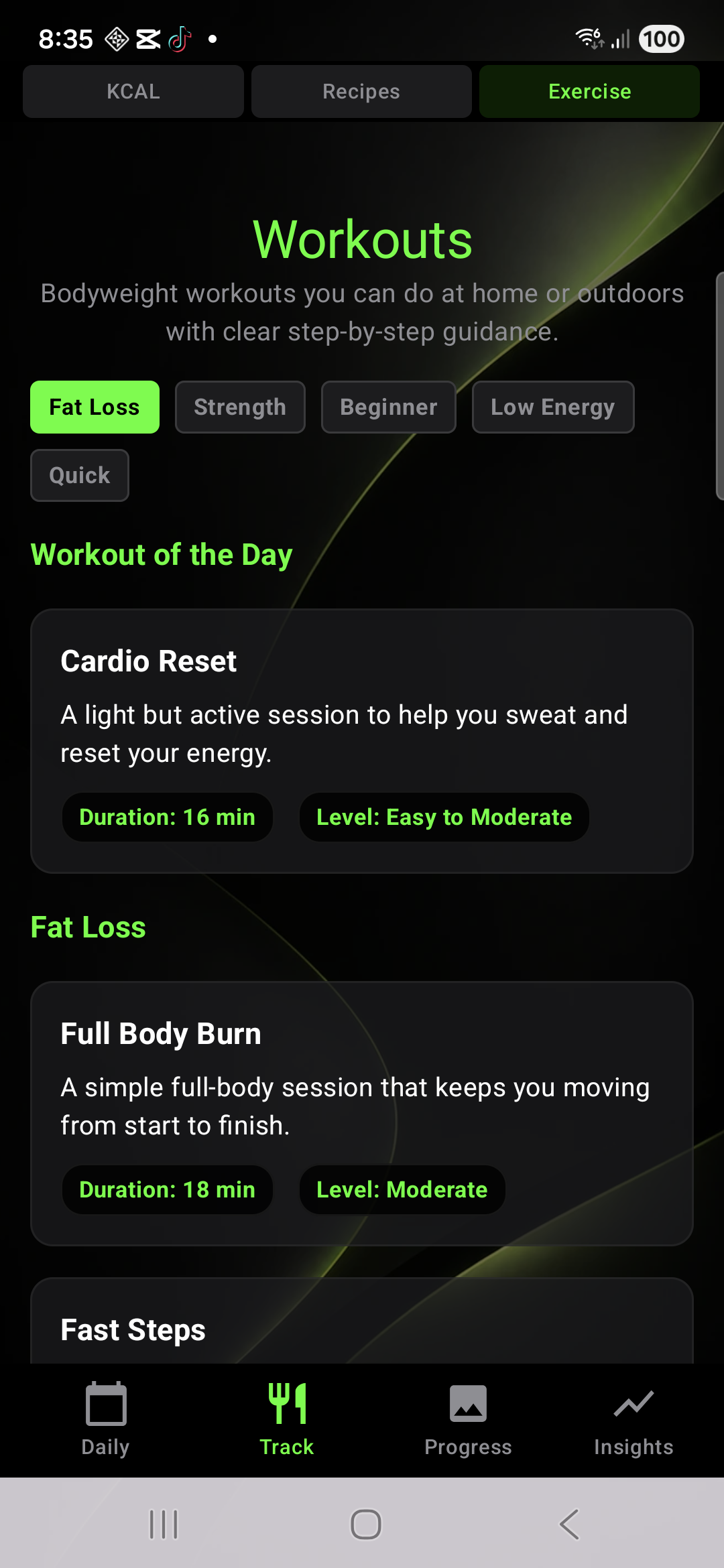
Bodyweight workouts stay inside the same app, so movement can support the routine without a second system.
New: Knwit Events
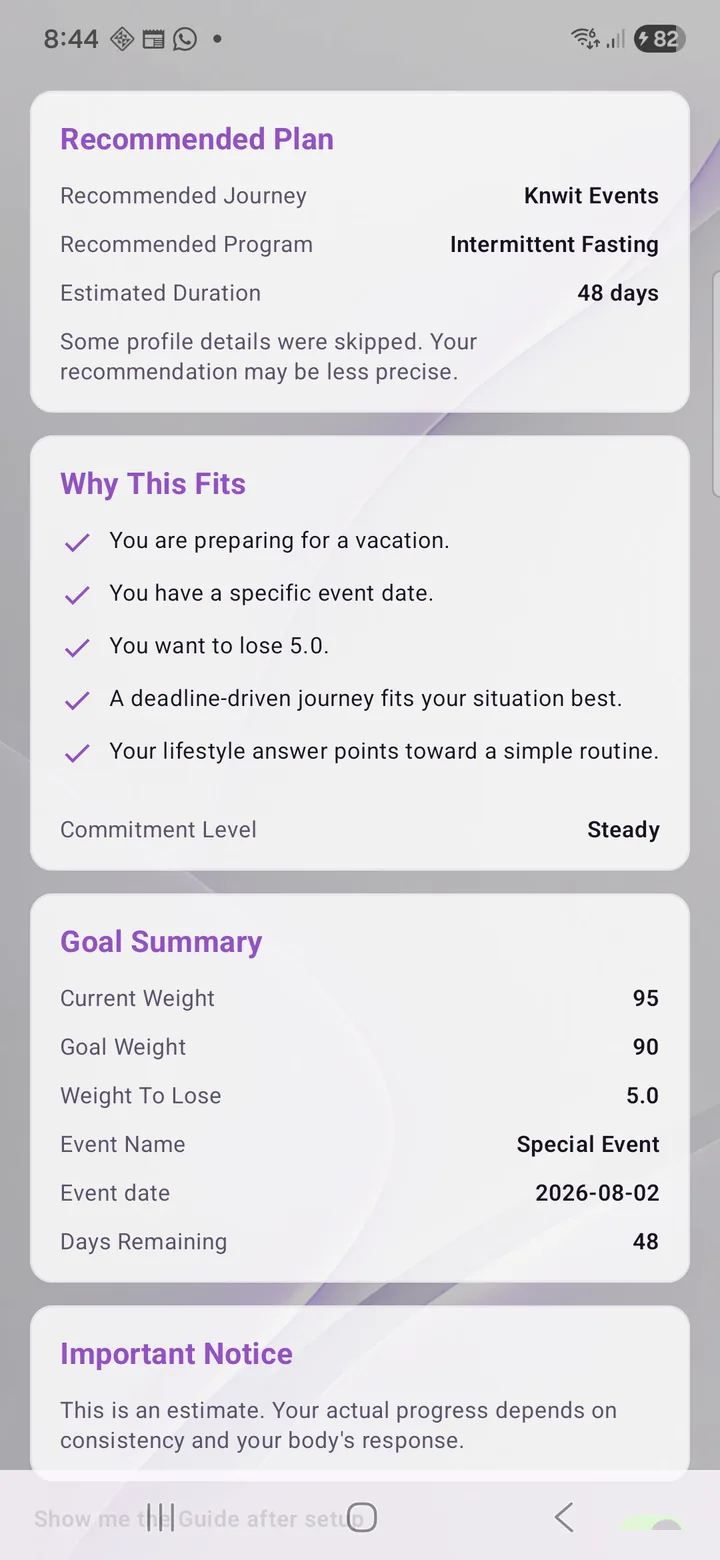
Knwit Events connects weight loss to a real deadline: vacation, wedding, fitness challenge, photoshoot, reunion, or any personal milestone.
Product Philosophy
Knwit Weight keeps the system personal. You can stay with a calm default setup, or expand the app as your routine grows.
The home view stays focused on the next useful thing: your progress, your daily actions, and the parts of the system you actually want visible.
Choose your own path, keep only the pages you use, and shape the home screen around your routine instead of adapting to someone else's dashboard.
Knwit Weight brings those pieces together without turning the app into a noisy control panel.
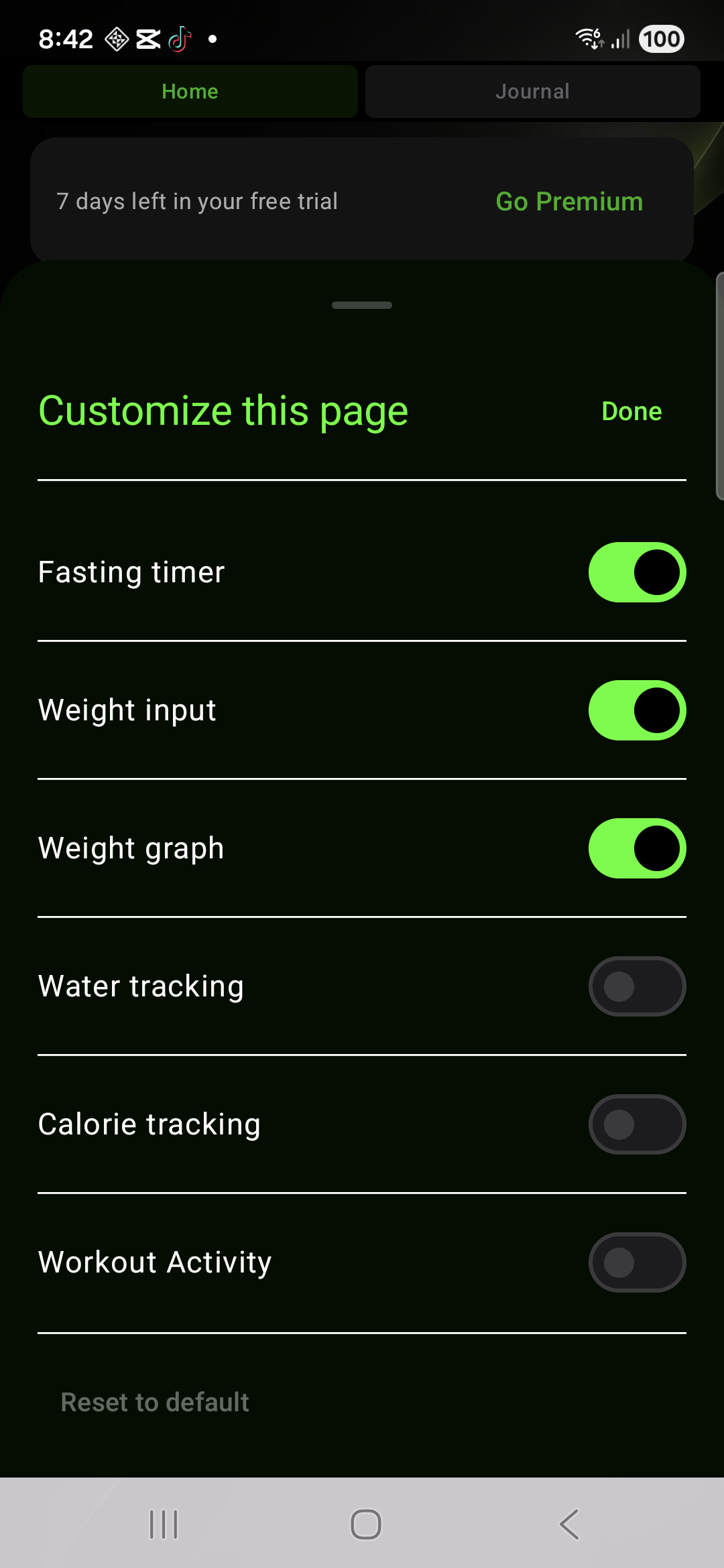
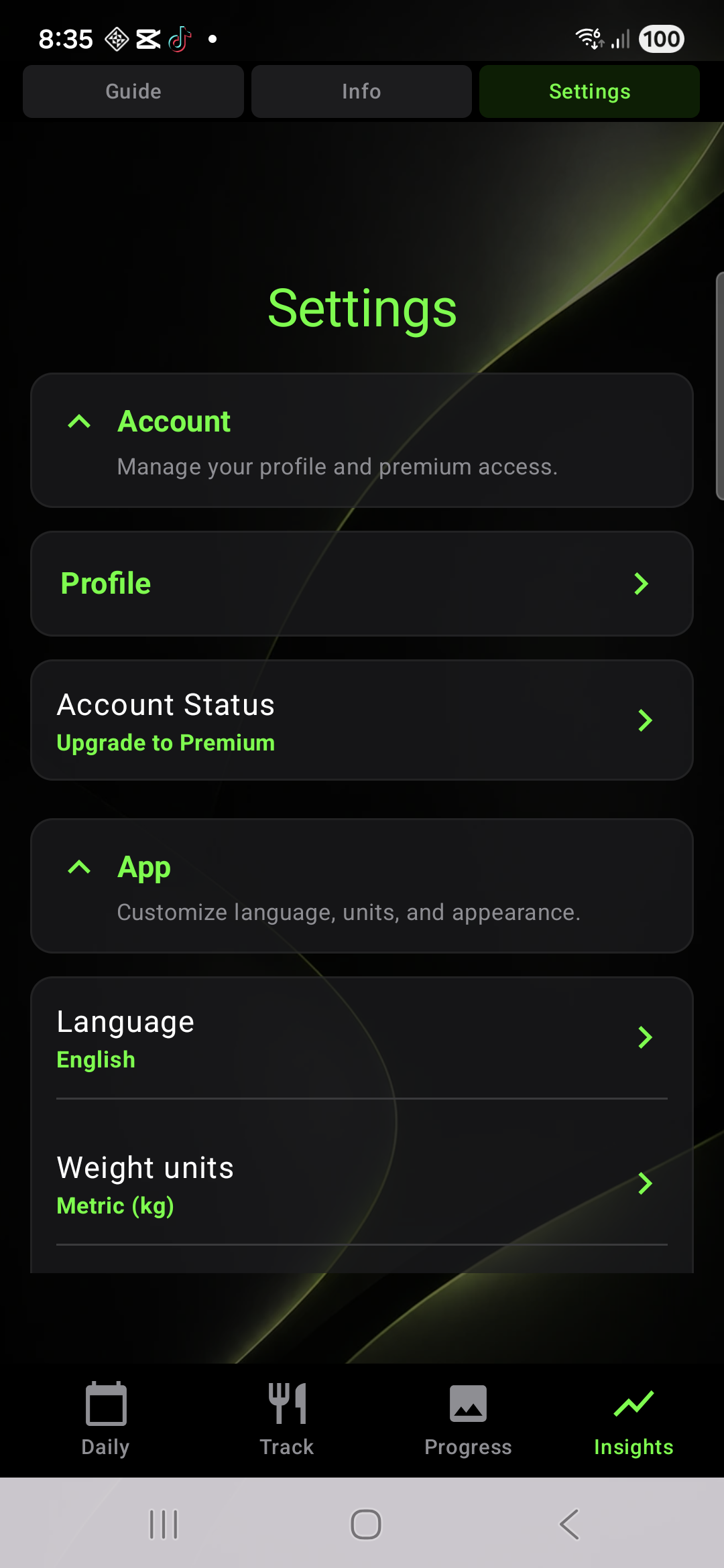
Customize what appears on Home and which pages stay visible in navigation.
Features As One System
Each part supports the next. Home keeps the day visible, tracking shows the trend, support tools stay close, and maintenance keeps the system useful after the initial push.
Start from one screen built around your current setup.
Keep progress visible without turning every day into admin work.
Water, calories, and reminders stay connected to the same routine.
See useful context without dashboard chaos.
Use calorie tracking when it helps, and keep it out of the way when it does not.
Meal ideas stay practical and easy to follow.
Bodyweight sessions live inside the same system as meals and tracking.
Maintenance mode helps users keep results steady without regain pressure.
Keep the app minimal, or bring in calories, recipes, workouts, and extra pages as your routine needs them. The structure stays calm either way.
Modularity
Choose which pages are visible, decide what shows up on Home, and keep the app simple or expand it over time. No dashboard chaos.
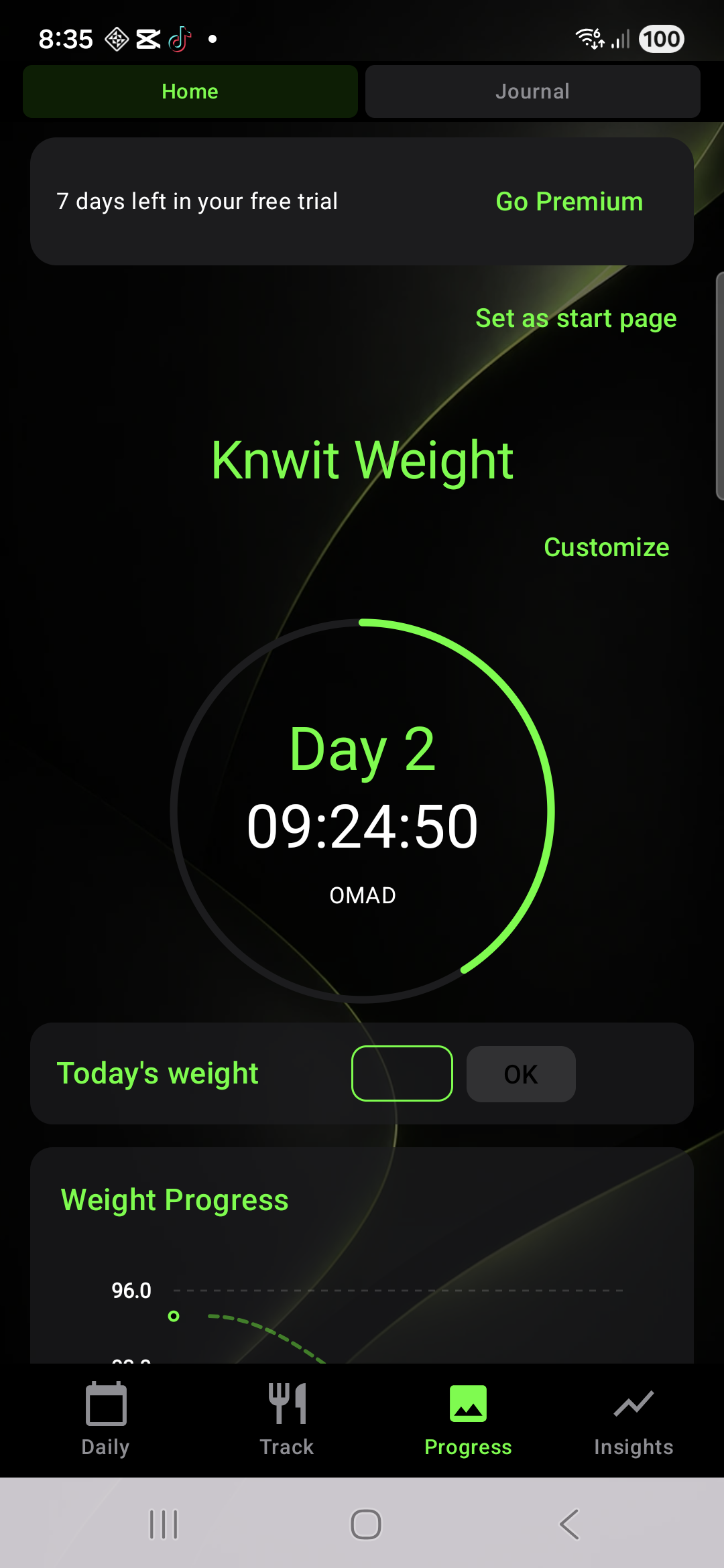
Show the parts of the app that matter to your day and leave the rest out of sight until you need them.
Move from a simple home to a richer one without turning the app into a crowded dashboard.
Insights
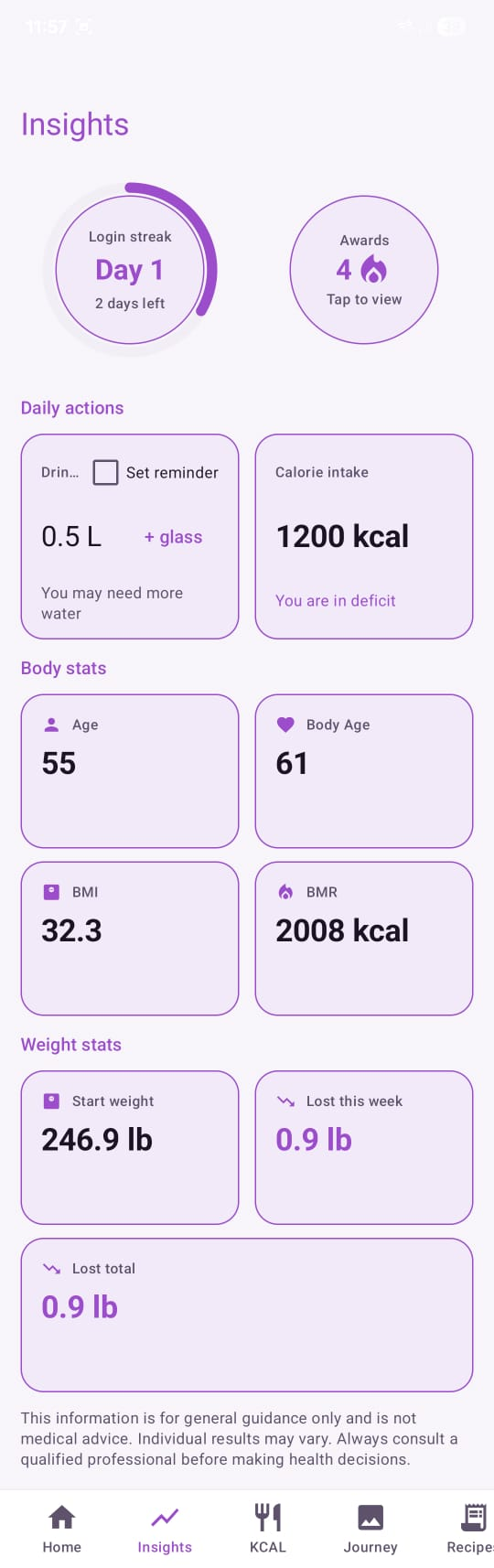
Knwit Weight keeps progress readable. You can see the trend, understand what changed, and keep tracking simple.
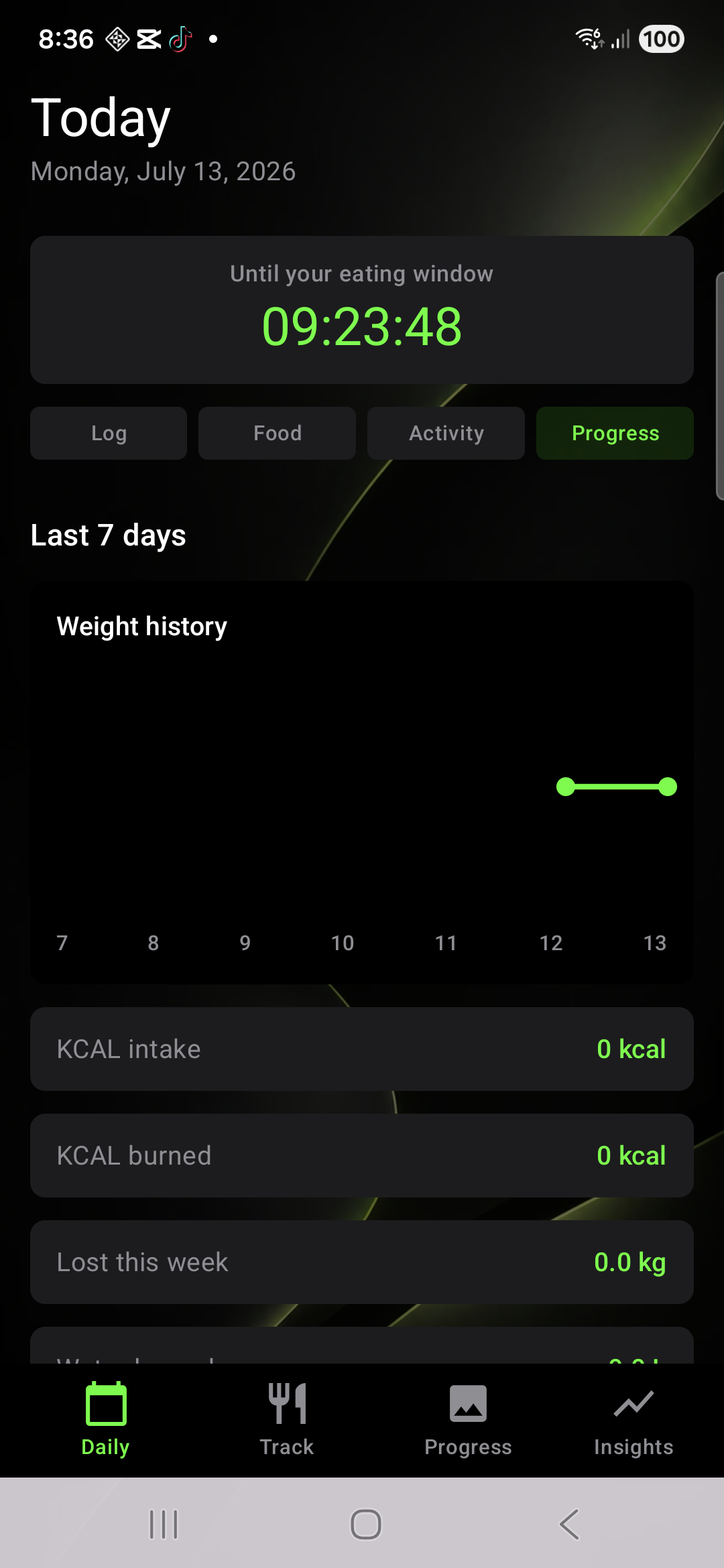
Daily actions, body stats, calorie context, and progress stay together in one calm view.
Modes
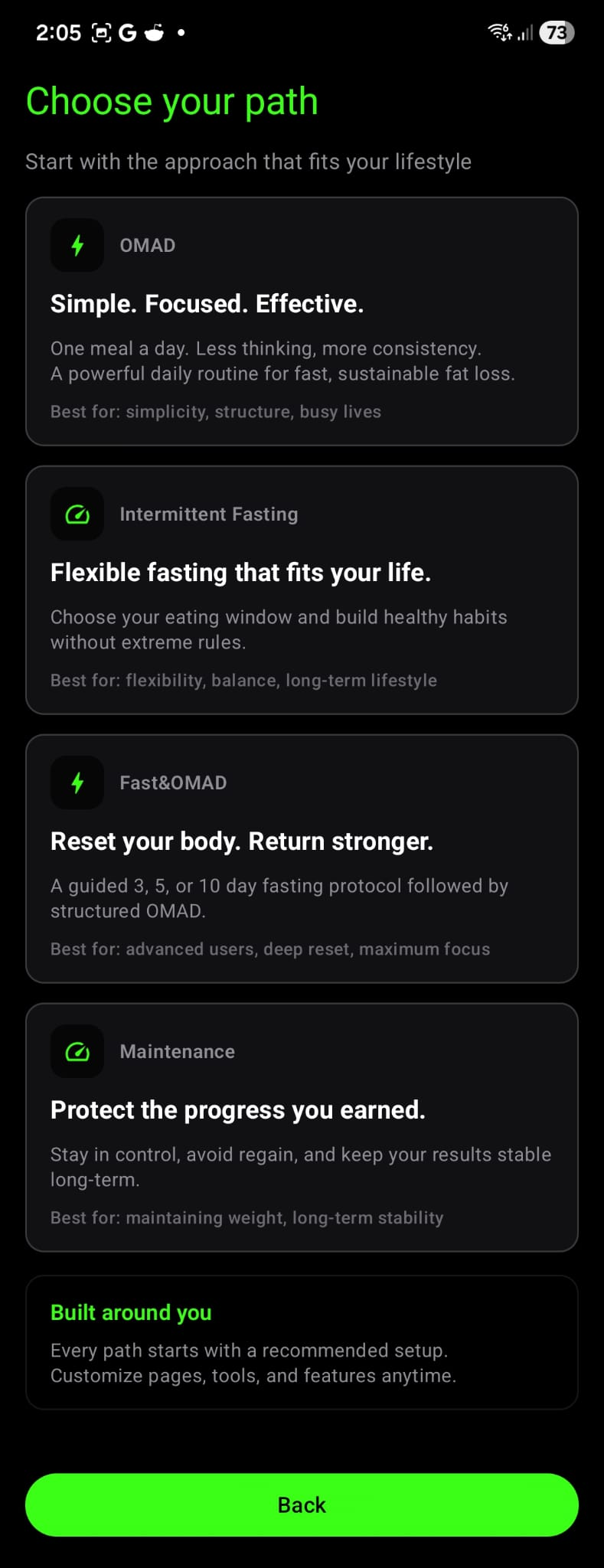
Knwit Weight supports OMAD, Intermittent Fasting, Fast&OMAD, and Maintenance. The structure stays factual, calm, and adjustable.
Every path comes with structure, but the app still lets you personalize pages, tools, and home visibility over time.
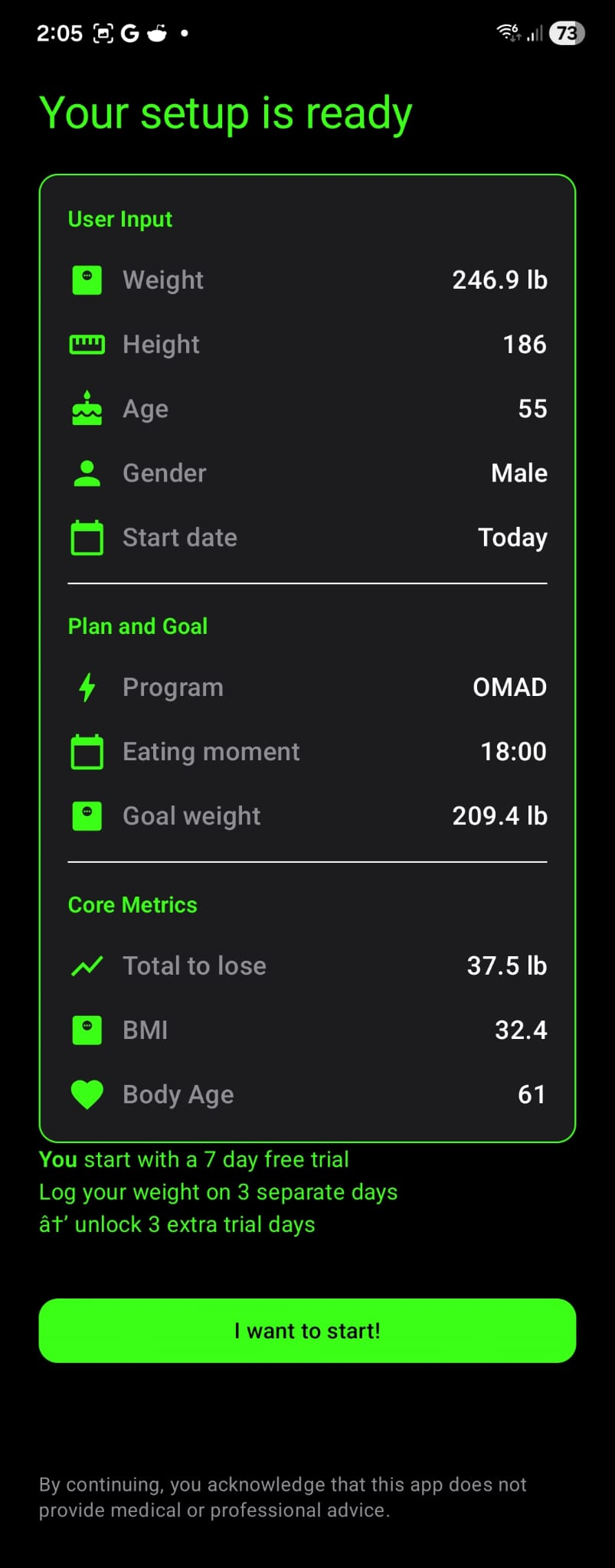
Support Tools
They are support tools, not a separate universe. Meal ideas and bodyweight workouts stay close to the rest of your routine.
Recipe support stays practical, clear, and easy to browse without adding unnecessary setup.
Workouts are ready when they help, with no need to leave the system or build a complex training plan first.
Maintenance
Knwit Weight includes a maintenance mode for users who want to keep results stable with trend-focused logging and less regain pressure.
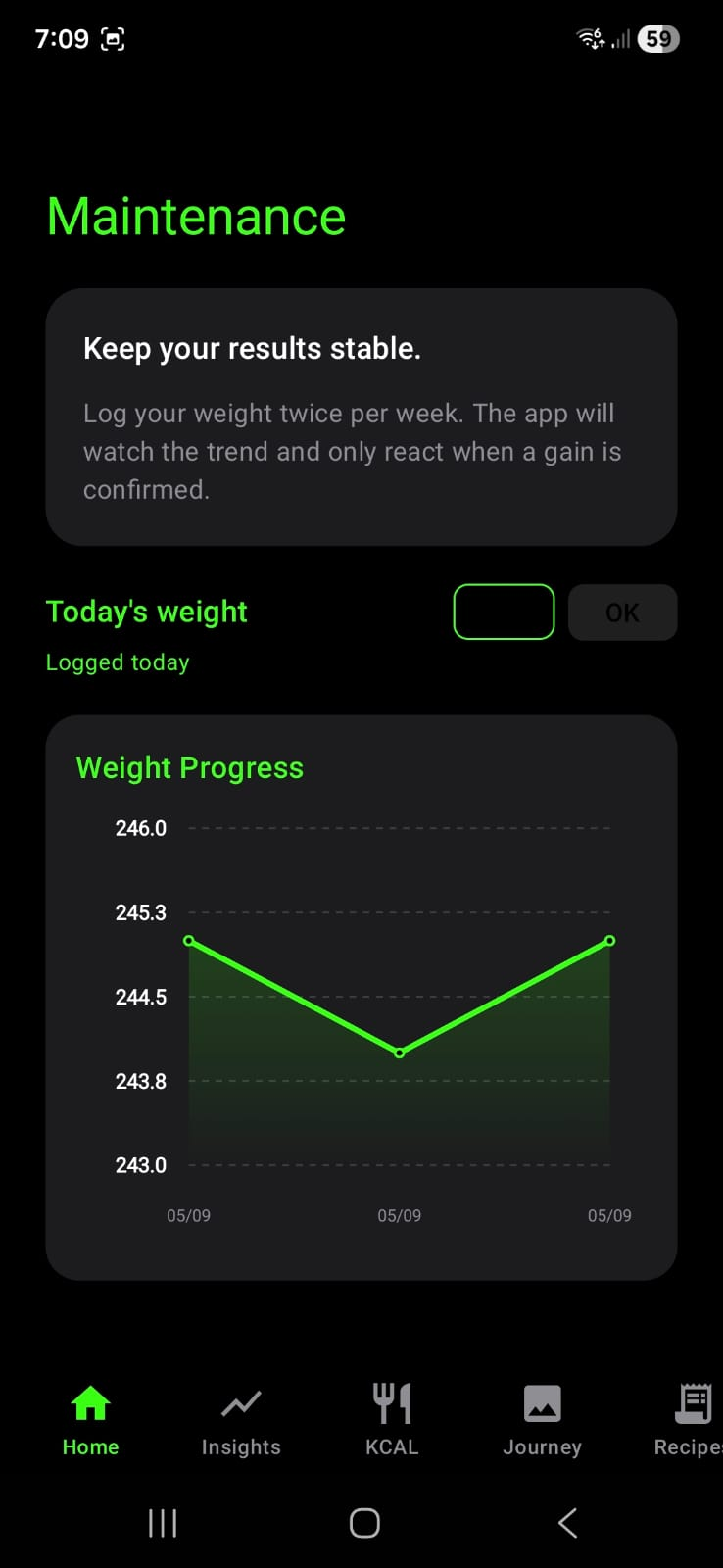
Maintenance is designed around stability, simple logging, and clearer long-term context.
Calm By Design
The core product identity stays calm, premium, and direct across the app, with dark mode doing most of the work and light screens adding contrast where they fit.
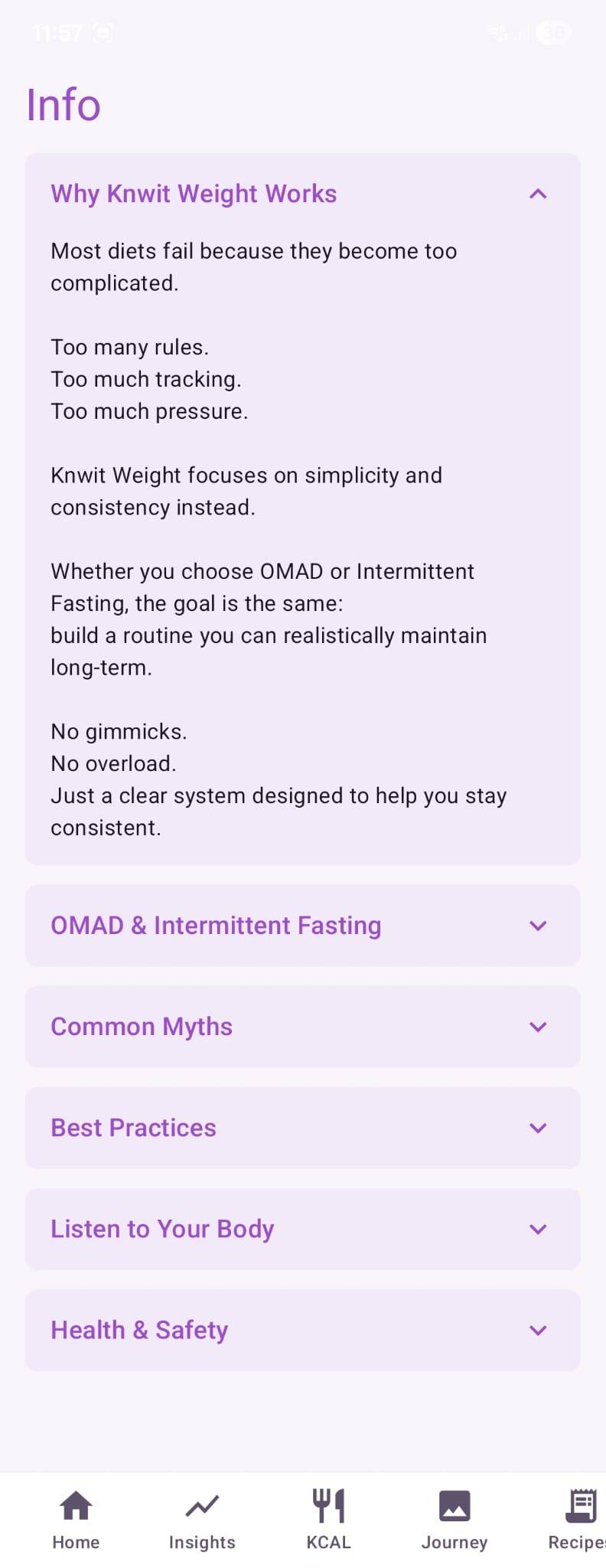
Knwit Weight
Knwit Weight gives you one calm system for fasting, weight tracking, meals, movement, and progress.